CasaVivid furnishes empty rooms in listing photos. Upload a photo of a vacant room, pick a style, and get a staged version in under 30 seconds. It works on photos you took yourself, on a phone or a camera, and on the edited photos your photographer delivered.
Empty room to furnished, in one step
Pick a style and CasaVivid places furniture, rugs, art and lighting that fit the room’s size, layout and light. The walls, windows, floors and fixtures stay as they are; only furniture and decor are added.
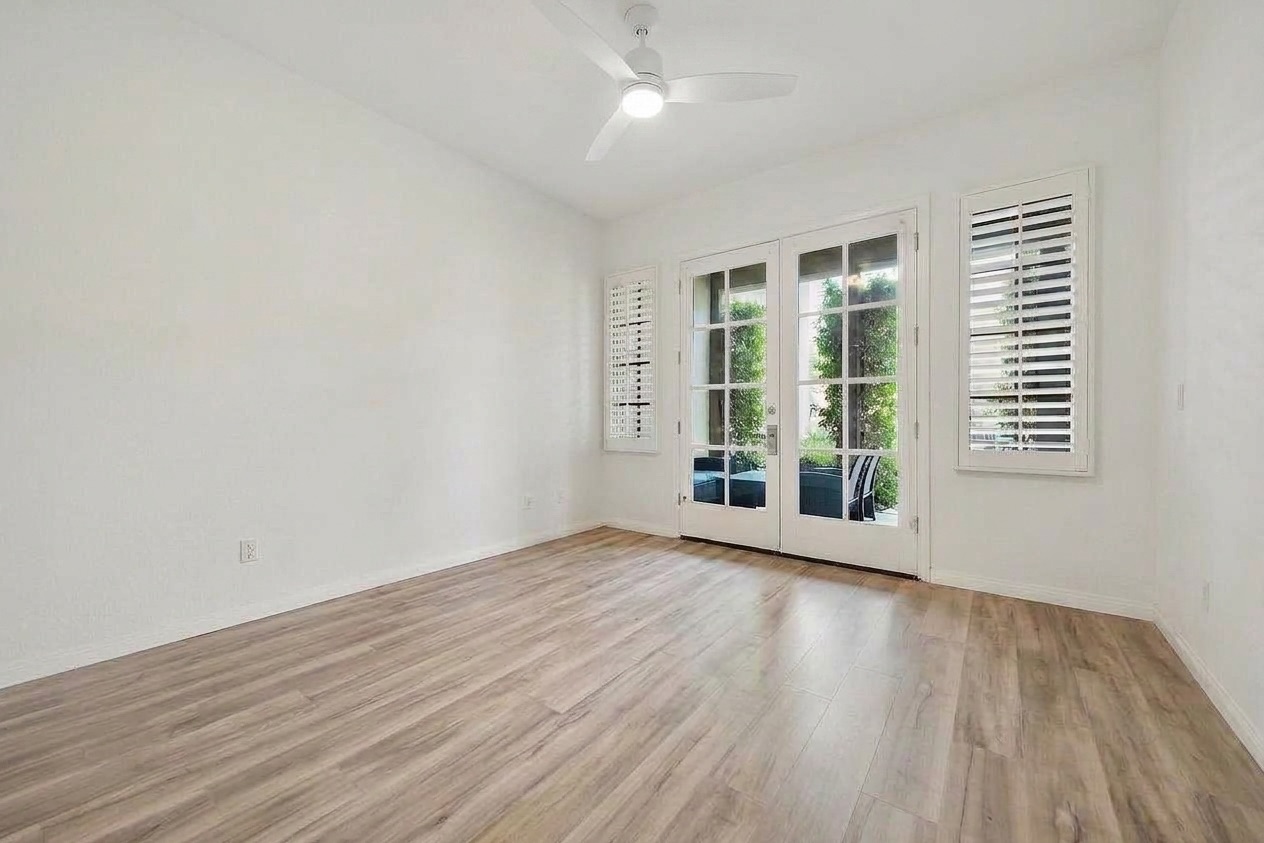
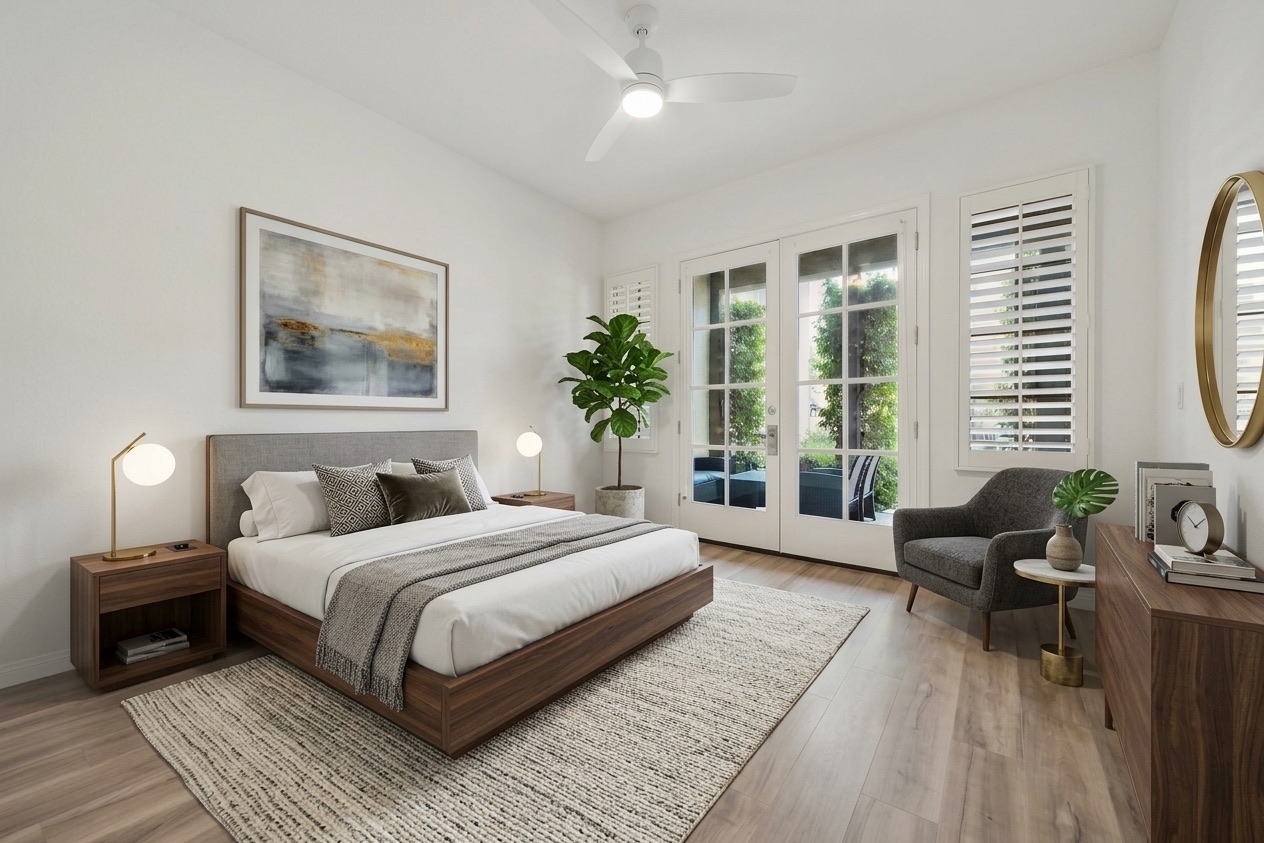
Virtual staging, Modern style: vacant room to furnished.
Styles
Standard, Modern, Scandinavian, Luxury, Industrial, Mid-century, Coastal and Farmhouse. Add your own instructions on top of any style, for example “a home office instead of a bedroom” or “light oak and green accents”.
Already furnished? Remove it and re-stage
CasaVivid can clear out existing furniture and stage the room again from scratch. That is useful for occupied homes, dated furniture, or a tenant’s leftovers.
The same furniture from every angle
Most listings show a room from two or three angles. With multi-angle staging you stage one view and CasaVivid carries the same furniture into the other photos of that room, so buyers don’t see a different sofa in every shot. It is done by AI, with no wait for a design team.
Disclosure and MLS rules
Staged photos are labeled “Virtually Staged” (and AI-edited photos “Digitally Altered”). Many MLSs and some states, including California under AB 723 since January 2026, require altered listing photos to be disclosed and the unaltered original to be available, so keep the original photo in the listing alongside the staged one. Check your MLS’s rules.
Everything else the listing needs
Staging lives in the same project as CasaVivid’s other tools: object removal, sky and twilight swaps, lawn and pool fixes, people and sign removal, privacy blur, share links and 360° tour videos.
FAQ
- How long does virtual staging take?
- Under 30 seconds per photo.
- Can I use photos from my phone?
- Yes. JPG and HEIC photos straight from a phone work, as do edited photos from your photographer.
- Can I change the staging if I don’t like it?
- Yes. Run it again, switch the style, or add instructions describing what you want.
- Is virtual staging allowed on the MLS?
- Generally yes, if it is disclosed. CasaVivid labels staged photos “Virtually Staged”; keep the original photo in the listing too, and check your MLS’s rules.
- How much does it cost?
- CasaVivid is free during its open beta. Paid plans are coming.